Channel Portal

Dirty power in.
Clean quotes out.

Configure equipment, track every job from first quote to ship date, and send proposals your customers actually read — automatically.

Sign In
RW
Request for quote RepWare
Configured for
RIRiello
THThor
TOToshiba
+ more
The RepWare difference

One input. Everything downstream.

Configure it — or drop in a oneline
~2 minutes
Quote
Drawings
Brochure
Manuals
Submittals
Design Guide
Install Guide

These aren't generic manufacturer files — every drawing and brochure comes back with your exact configuration highlighted on the page, not just the model. And the job doesn't stop at the sale: the same record carries through POs, order entry, order tracking, and Startup, all the way to maintenance contracts and proactive reminders.

QuoteOrderTrackingStartupMaintenanceReminders
Who it's for

Built for everyone in the channel.

Manufacturers

Your reps and resellers are already juggling more than one line. When yours is the easy one to configure and quote, it's the one they reach for first — and RepWare gives you the data to prove it, with demand forecasting built from every quote moving through your channel's pipeline.

Resellers

Carrying more than one brand? Configure and quote every manufacturer on your line card from the same dashboard — no more switching between separate price books and spec sheets.

Reps

Contracted to one brand? RepWare becomes your dedicated quoting engine for that line — every model, option, and price dialed in, so you can turn a quote around fast.

What you can do

Everything your channel touches, in one place.
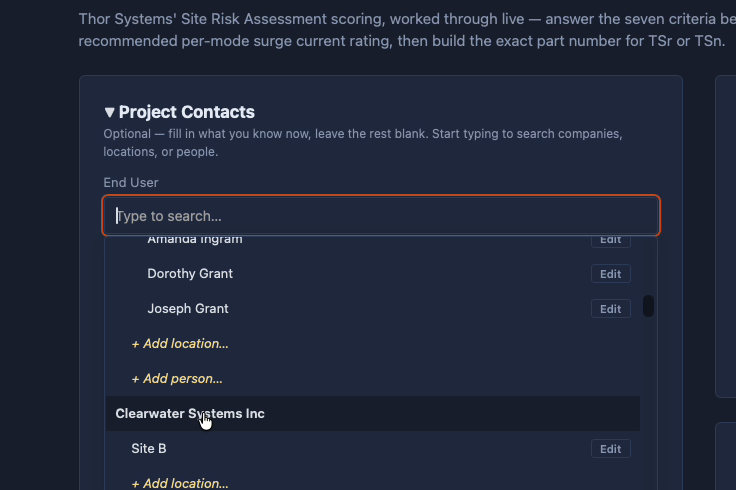
Customer directory and contact search in RepWare
Customers

Every contact, one directory.

Every end user, contact, and job history in one directory — no more digging through old email threads to find who ordered what. Start typing and RepWare finds the company, site, or person instantly.
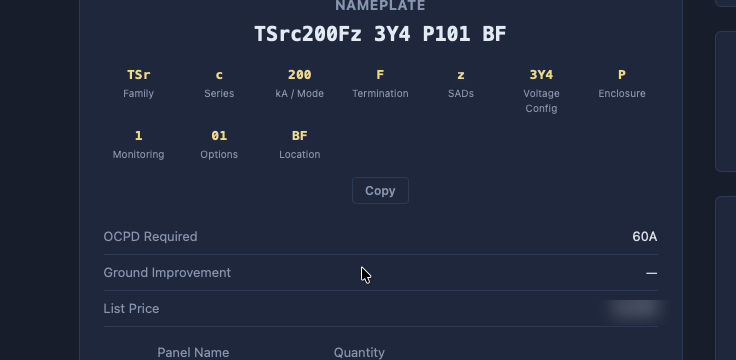
Equipment configurator building an exact part number and nameplate in RepWare
Equipment Proposals

The exact part number, built for you.

Configure the equipment by dropdown, and RepWare assembles the real nameplate — family, series, rating, options — and prices it against your current book automatically.
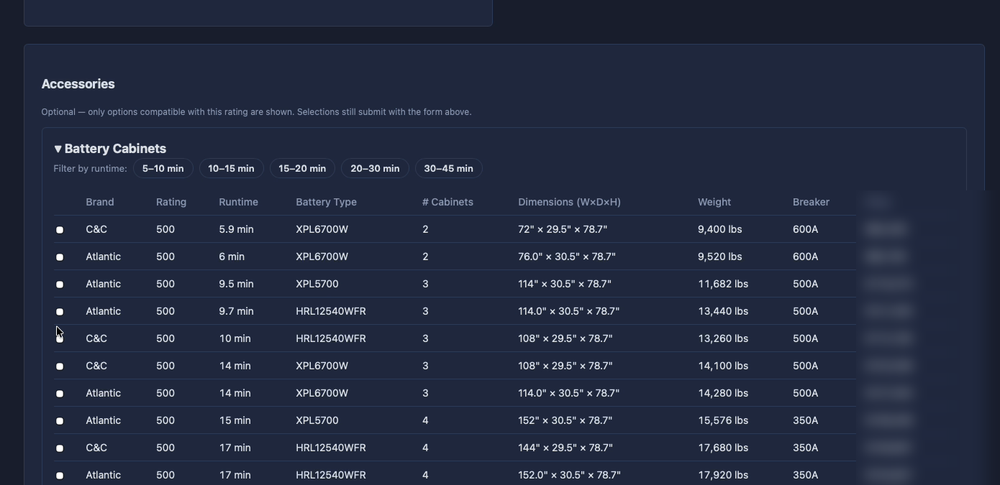
Battery cabinet and runtime options table in RepWare
Maintenance Proposals

The right equipment, every time.

Battery type, runtime, and cabinet count are matched to the exact rating and duration required — no manual cross-referencing, no guesswork, no chance of specifying the wrong part for the job.
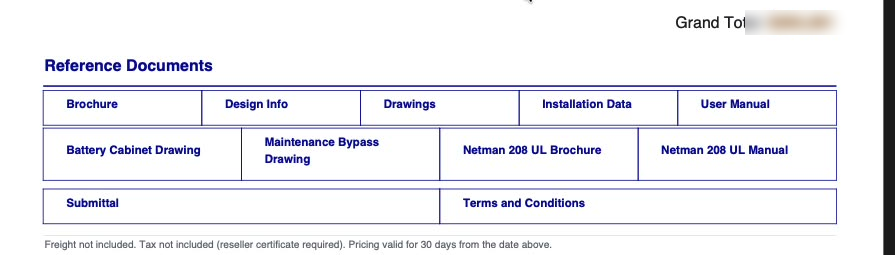
Auto-generated reference documents list in RepWare
Document Generation

A complete package, the moment you're done.

The instant a configuration is finalized, every supporting document — drawings, brochures, manuals, submittals — is already generated and linked, specific to exactly what was quoted. Nothing to assemble, nothing to chase down.

How it works

From inbox to shipped, in four steps.

01

Quote comes in

A request lands by email or gets entered manually — nothing starts from a blank page.

02

Configure it

Dropdowns build the exact model, kVA, runtime, and options — priced against your current book.

03

Send the proposal

A clean, branded proposal goes out with drawings, submittals, and O&M links attached.

04

Track to ship

The job moves through quoting, ship date, and closed — visible on one dashboard.

Inside RepWare
app.repwareusa.com/dashboard